
Scary Shawarma
Complete Resource Hub
Your ultimate guide for Scary Shawarma Kiosk Roblox. Find Scary Shawarma working codes, Scary Shawarma anomaly detection patterns, Scary Shawarma survival strategies, Scary Shawarma scripts, and complete Scary Shawarma wiki for the thrilling Scary Shawarma horror game.
Scary Shawarma Wiki
Complete Scary Shawarma database of rules, mechanics, and Scary Shawarma survival strategies for the Shawarma Kiosk horror game
- • Serve real customers to earn scraps and survive
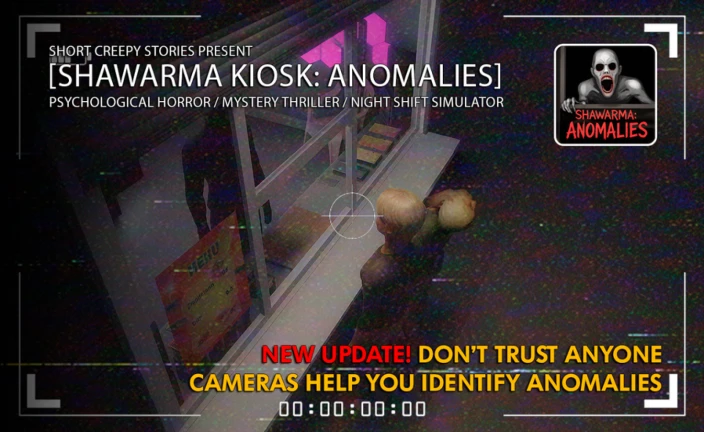
- • Identify anomalies using CCTV and visual cues
- • Close shutter to reject suspicious customers
- • Follow posted rules to avoid deadly consequences
- • Manage resources and survive until morning
- • Check CCTV cameras for distortions and doubles
- • Look for strange behaviors and movements
- • Identify distorted limbs or extra body parts
- • Watch for customers appearing multiple times
- • Use night vision to spot invisible anomalies
- • Never serve anomalies - errors lead to punishment
- • Always check posted rules before each shift
- • Don't look directly at certain entities
- • Close shutter during inspection events
- • Follow emergency response protocols exactly
- • Inspection Event (1:56 AM Customer) - follow protocol
- • Fog Event - reduced visibility, increased danger
- • Red Light, Green Light Spirit - freeze when spotted
- • The Mouth on the Wall - environmental anomaly
- • Moving Meat Tray - equipment malfunction event
Scary Shawarma Anomalies List
Master anomaly detection - Learn to identify what's real and what's supernatural
- •Customers with creatures attached to their back
- •Black holes where eyes or face should be
- •Completely blank face with no features
- •Distorted limbs or extra body parts
- •Glitchy or wrong textures on skin
- •Unsettling wide smile (The Smiling Man)
- •Customer disappears in night vision mode
- •Same person in two locations simultaneously
- •Distorted screaming face on monitor
- •Customer unable to see on CCTV for period of time
- •Unnatural dancing movements on camera
- •CCTV Passenger - creature on customer's back
- •Cryptic or unintelligible dialogue
- •Twitching and odd movements
- •Strange orders out of the norm
- •Appearing multiple times
- •Red Light, Green Light Spirit behavior
- •Lights start to flicker
- •Static appears on screen
- •Increased glitches and distortions
- •Objects moving with no explanation
- •Moving meat tray
- •Fog events and visibility changes
1. Immediate Action
Close the shutter immediately. Do not serve the entity under any circumstances.
2. Avoid Direct Engagement
Do not look directly at certain entities (especially screamers). Look away and maintain distance.
3. Wait It Out
Wait for the anomaly to leave. Do not reopen the shutter until the threat has passed completely.
Warning: Serving anomalies accumulates errors. Multiple errors trigger the Inspector and result in termination. Stay vigilant!
Scary Shawarma Codes
Get free Anomaly Coins, XP boosts, cosmetics, and special items with active promo codes
- Launch Scary Shawarma Kiosk on Roblox
- Look for 'Codes' or 'Promotions' button (Twitter bird or gift box icon)
- Type or paste the code
- Click Redeem to get your reward
Tip: Codes are case-sensitive. Most codes have usage limits or expiration dates. Redeem quickly!
Scary Shawarma Scripts & Tools
Community scripts for automation and enhanced gameplay - Use responsibly
- 1
Download a Safe Executor
Choose a reputable Roblox executor. Download only from official websites.
- 2
Join Scary Shawarma Kiosk
Open Roblox and join the game. Wait until fully loaded before proceeding.
- 3
Inject & Execute Script
Launch executor, click 'Inject', paste script code, and click 'Execute'.
- 4
Configure Features
Use the GUI to toggle features. Start with basic features to reduce detection risk.
Scary Shawarma Survival Guide
Complete strategy guide from beginner tips to advanced 99-day tactics
Days 1-5: Learning Phase
LowThreats: Minimal anomalies, mostly legitimate customers
Pro Tips: Master basics, memorize rules, practice recipes. Build resource reserves.
Days 6-15: First Challenges
MediumThreats: Regular impostor appearances, first special events
Pro Tips: Use cameras religiously. Don't get complacent with detection.
Days 16-30: Veteran Territory
HighThreats: Frequent anomalies, environmental threats increase
Pro Tips: Track patterns. Predict encounters. Stay mentally sharp.
Days 31-60: Expert Survival
Very HighThreats: Multiple simultaneous threats, rare anomalies
Pro Tips: Use all tools. Calculator daily. Never break rules.
Days 61-99: Legendary Endurance
CriticalThreats: Maximum difficulty, constant pressure
Pro Tips: Trust your training. Stay calm. Execute perfectly.
✓ Never Compromise On
- • Verifying customers via cameras before serving
- • Maintaining power above critical levels
- • Following posted rules precisely
- • Immediate anomaly response protocols
- • Resource monitoring and management
✗ Never Do
- • Serve food to any impostor or anomaly
- • Rush orders without checking ingredients
- • Ignore posted rules or violation warnings
- • Look at prohibited things (inspection, ceiling faces)
- • Neglect power or meat stock management
- 1.
Lights on, grill on - Verify power is stable before opening window
- 2.
Read rules wall - Check once per shift; keep soda ready for smiling customers
- 3.
Cameras first - Scan before opening; shutters ready to close instantly
- 4.
Prep meat buffer - Stage ≥6 pieces during calm; prep sauces/wraps for speed
- • 2 AM driverless car → exit via back door immediately
- • Keep back to the kiosk; do not look at kiosk or any monitor
- • Stay out until the scene calms; re-enter cautiously
- • Any glance at kiosk/monitor can trigger "Unauthorized presence" termination
Pulsing/talking meat → kill heat, leave, re-enter after silence
Faceless customer → serve without eye contact; keep it quick
Smiling customer → give soda, seal bundle under counter (never open)
Must-not-serve/hostile signs → close shutters instantly; wait out banging
Suspicious on CCTV → use Show Anomaly if available; if flagged, do not open
Join Our Scary Shawarma Community
Connect with fellow survivors, share strategies, and stay updated with the latest news and codes
Active Community
Connect with 50,000+ players worldwide
Code Alerts
Be the first to know about new codes
Exclusive Rewards
Discord-only codes and giveaways
Find Teammates
Squad up for co-op challenges